How to Create Invisible Text Effect in CapCut (Step-by-Step Tutorial)
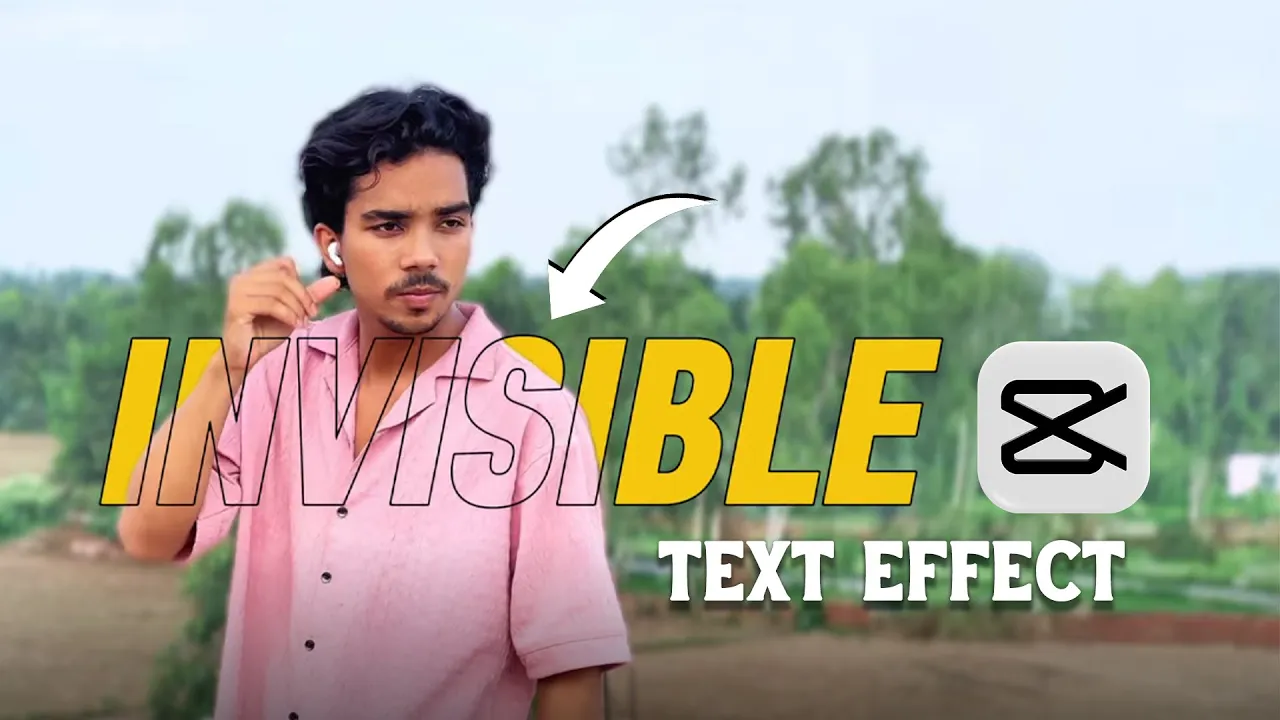
[Music] Hello everyone! I hope you are doing well. In today’s post, I’m going to show you how to create a trending Invisible Text Effect on your phone using the CapCut app. If you saw the thumbnail and intro video, you already got a sneak peek of the effect we’ll be working on. The best part? It’s super easy!
Why Use the Invisible Text Effect?
The invisible text effect is one of the latest creative video editing tricks trending on social media platforms like Instagram Reels, YouTube Shorts, and TikTok. It makes your videos look unique, eye-catching, and more engaging for viewers.
Step-by-Step Guide to Create Invisible Text in CapCut
Follow these simple steps to create your own invisible text effect:
- Open CapCut: Launch the CapCut (CPKT) app on your phone.
- Import Your Video: Connect your device if needed, then click on New Project and import your video.
- Trim Extra Parts: Cut out unnecessary sections of your clip and keep only what you need.
- Add Text: Write your desired text (for example, your name). Choose a font you like and adjust its position on the video.
- Duplicate the Text: Make a duplicate layer of the text. Double-tap it and go to the Style options.
- Adjust Opacity & Stroke: Set opacity to zero and add a stroke (around 10 is ideal).
- Duplicate Your Video: Copy the main video clip and place it as an overlay above the text layer.
- Remove Background: Use CapCut’s Auto Background Removal tool to remove the video background.
- Layer Adjustment: Place the text between the two video layers to create the invisible text effect.
That’s it! Now you have your invisible text effect ready. You can further customize it by trying different fonts, strokes, or adjusting placement.
Final Result
As you can see, the invisible text effect is simple yet powerful. It adds a professional and modern look to your videos without needing advanced editing skills. This trick can help your social media content stand out and attract more viewers.
Additional Resources
Conclusion
Creating an invisible text effect in CapCut is an easy and effective way to make your videos more engaging. Whether you’re editing for fun, Instagram Reels, or professional YouTube content, this technique will give your projects a creative edge.
If you found this tutorial helpful, don’t forget to like, share, and subscribe to stay updated with more editing tricks and tutorials. See you in the next one!